
Are you drowning in a sea of unread emails? Is your inbox a chaotic mess that leaves you feeling overwhelmed? You’re not alone. In today’s digital age, managing your email can be a daunting task. But fear not, as we’ve got you covered with practical tips to help you declutter your email inbox every day.
Start your day with a clean slate
Clearing out your inbox first thing in the morning can set a positive tone for the day ahead. By following a few simple strategies and incorporating some effective habits, you can achieve inbox zero and regain control over your digital communication.

Three Ways to Streamline Your Email Inbox Daily
In today’s fast-paced digital world, managing your email inbox efficiently is crucial. To streamline your email inbox daily, consider implementing the following strategies:
1. Unroll.me
Unroll.me is a popular email organization tool that helps you unsubscribe from unwanted emails, while also allowing you to combine your favorite subscriptions into one daily email. By using Unroll.me, you can declutter your inbox and reduce the time spent sorting through irrelevant emails.
2. Email Filters
Most email providers offer email filtering options that automatically categorize incoming emails based on sender, subject, or keywords. By setting up filters to sort emails into specific folders or labels, you can prioritize important messages and reduce inbox clutter.
3. Scheduled Inbox Cleanup
Allocate a specific time each day to clean up your inbox. Use this time to delete unnecessary emails, respond to urgent messages, and file away important information. By consistently dedicating time to organize your inbox, you can maintain a clutter-free and efficient email management system.
Top Tips for Organizing Your Email Inbox Efficiently
Organizing your email inbox efficiently can significantly improve your productivity and reduce stress. To help you achieve inbox organization success, consider the following top tips:
1. Separate Email Accounts
If possible, consider using separate email accounts for personal and professional purposes. This separation can help you focus on relevant emails and prevent distraction from non-essential messages.
2. Create Subfolders or Labels
Organize your inbox by creating subfolders or labels for different categories of emails. This segmentation makes it easier to locate specific messages and ensures important emails are not buried under a pile of unsorted mail.
3. Use Email Management Apps
Explore email management apps like Spark or Newton, which offer features such as snoozing emails, scheduling messages, and prioritizing tasks. These apps can streamline your email workflow and enhance your overall efficiency in managing emails.
Effective Strategies for Daily Email Inbox Organization
To maintain a well-organized email inbox on a daily basis, consider implementing these effective strategies:
1. Zero Inbox Approach
Adopt a zero inbox approach by clearing out your inbox at the end of each day. Respond to important emails, archive completed conversations, and delete unnecessary messages to start each day with a clean slate.
2. Batch Processing
Utilize batch processing to streamline email management. Set specific times throughout the day to check and respond to emails rather than constantly checking for new messages. This approach helps you focus on other tasks without email interruptions.
3. Regular Unsubscribe Routine
Regularly review your email subscriptions and unsubscribe from newsletters or promotional emails that no longer serve your interests. By reducing the influx of irrelevant emails, you can maintain a clutter-free inbox and improve your overall email efficiency.
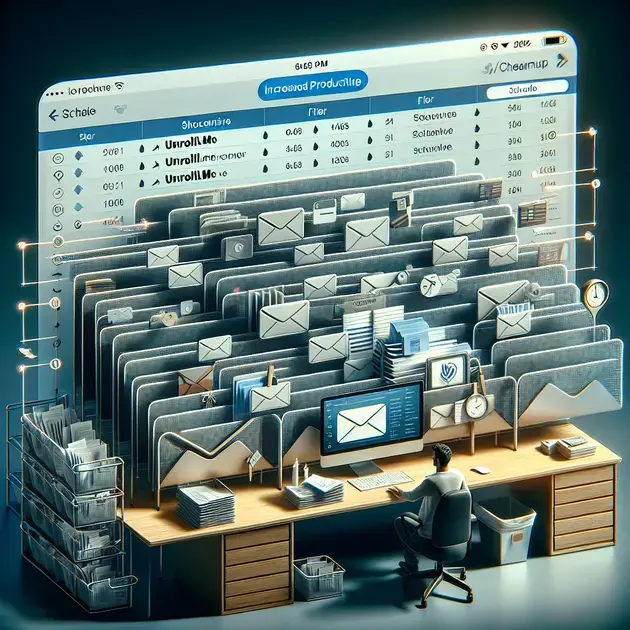
Efficient Ways to Declutter Your Email Inbox
Managing your email inbox efficiently is crucial for staying organized and productive. Here are some effective strategies to declutter your email inbox:
1. Set Up Folders and Filters:
Create folders and set up filters to automatically sort incoming emails into specific categories. This will help you quickly locate important emails and reduce clutter in your main inbox.
2. Unsubscribe from Unnecessary Emails:
Regularly review your subscriptions and unsubscribe from emails that no longer serve you. This will help prevent unnecessary emails from clogging your inbox and save you time sorting through irrelevant content.
3. Archive or Delete Old Emails:
Take time to go through your inbox and archive or delete old emails that are no longer needed. Keeping your inbox clutter-free will make it easier to find important emails when you need them.
4. Use Email Management Tools:
Consider using email management tools that can help you organize, prioritize, and schedule emails more efficiently. These tools often come with features such as snooze, reminders, and email tracking.
5. Implement a Daily Routine:
Develop a daily routine for checking and responding to emails. Set specific times during the day to focus solely on emails, avoiding constant distractions and ensuring timely responses to important messages.
Maximizing Productivity Through Email Inbox Management
Effective email inbox management is key to maximizing productivity in a digital world. Here are some tips to help you stay on top of your email inbox:
1. Prioritize Your Emails:
Sort your emails based on priority and urgency. Address important emails first and then move on to less critical ones. This will ensure that you focus on the most crucial tasks first.
2. Use Clear and Concise Subject Lines:
When sending emails, use clear and concise subject lines that accurately reflect the content of the email. This will help recipients quickly understand the purpose of the email and respond appropriately.
3. Practice Email Batch Processing:
Avoid constantly checking your email throughout the day. Instead, dedicate specific time slots for checking and responding to emails in batches. This will help you stay focused on other tasks without constant interruptions.
4. Limit Your Email Notifications:
Disable unnecessary email notifications to prevent distractions and maintain focus on your work. Check your email only during scheduled times to avoid being constantly bombarded with notifications.
5. Regularly Review and Update your Email Settings:
Periodically review your email settings to ensure they align with your current needs. Adjust filters, folders, and notifications as necessary to optimize your email management system for maximum efficiency.
Expert Tips for Maintaining a Clean Email Inbox
Keeping your email inbox clean and organized is essential for efficient communication. Here are some expert tips to help you maintain a clutter-free inbox:
1. Use the Two-Minute Rule:
Apply the two-minute rule when checking your emails. If you can respond to an email or complete the task within two minutes, do it immediately to avoid accumulating a backlog of small, quick tasks.
2. Schedule Regular Email Purges:
Set aside time each week to declutter your inbox by deleting or archiving old emails. This proactive approach will prevent your inbox from becoming overloaded with unnecessary messages.
3. Create Email Templates for Common Responses:
If you find yourself frequently sending similar responses, consider creating email templates for common replies. This will save you time and effort when drafting repetitive emails.
4. Stay Mindful of Email Etiquette:
Practice good email etiquette by keeping your messages concise, respectful, and professional. Avoid unnecessary forwards or reply-all messages that can clutter inboxes and lead to confusion.
5. Regularly Review Your Email Subscriptions:
Take the time to review your email subscriptions and unsubscribe from any that no longer serve a purpose. Keeping your subscriptions lean will prevent your inbox from being overwhelmed with irrelevant content.
Conclusion
In today’s fast-paced digital world, managing your email inbox efficiently is crucial for productivity and stress reduction. By implementing strategies like using Unroll.me to declutter your inbox, setting up email filters, and scheduling inbox cleanup, you can streamline your email management. Additionally, organizing your inbox with separate accounts, subfolders, and email management apps can significantly improve your workflow. Adopting a zero inbox approach, practicing batch processing, and unsubscribing from unnecessary emails are effective daily organization strategies. Decluttering your inbox by setting up folders and filters, unsubscribing from irrelevant emails, and using email management tools can enhance efficiency. Prioritizing emails, using clear subject lines, and limiting notifications are key to maximizing productivity. By regularly reviewing and updating email settings, you can optimize your email management system. Maintaining a clean inbox with the two-minute rule, regular purges, email templates, and mindful email etiquette is essential for efficient communication. Overall, these expert tips can help you maintain a clutter-free inbox and enhance your email management skills, ultimately boosting your productivity and reducing email-related stress.

