
In a world where our email addresses are crucial pieces of personal information, safeguarding them online is paramount. With cyber threats on the rise, it’s essential to know how to safely share your email address without compromising your privacy and security. By following a few simple yet effective strategies, you can navigate the digital landscape with confidence and protect your sensitive information from falling into the wrong hands. Let’s explore some practical tips to ensure your email address stays secure in the vast online realm.
Protecting Your Email Address from Online Threats
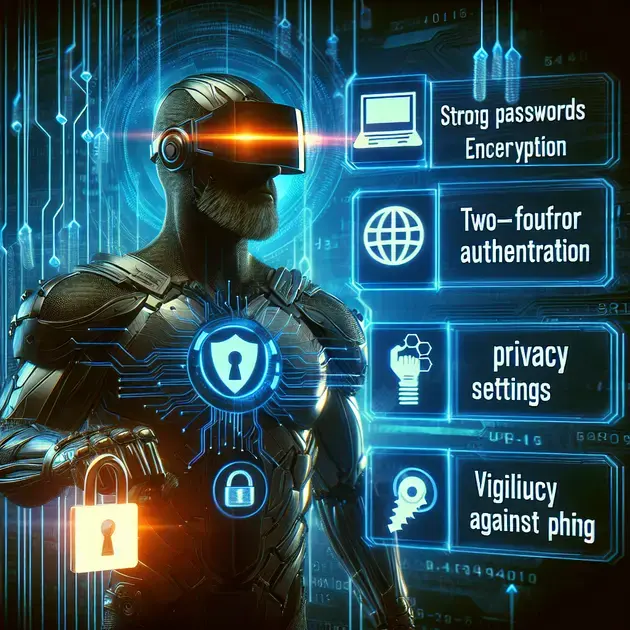
One of the best ways to protect your email address from online threats is by using a secure and unique password for your email account. Ensure your password is a combination of letters, numbers, and special characters. Websites like “LastPass” offer secure password management services where you can generate and store complex passwords.
Another crucial step is to enable two-factor authentication (2FA) on your email account. Services like “Google Authenticator” provide an extra layer of security by requiring a verification code in addition to your password. This helps prevent unauthorized access to your email address.
Regularly update your email account settings and privacy preferences. Websites like “Gmail” have privacy settings that allow you to control who can see your email address and how it is displayed. By keeping these settings up to date, you can reduce the risk of your email address being exposed to online threats.
Avoid clicking on suspicious links or email attachments that may contain malware. Install reputable antivirus software like “Avast” or “McAfee” to scan your emails and protect your device from potential threats. Remember, being cautious and skeptical of unknown senders can go a long way in safeguarding your email address.
Lastly, regularly monitor your email account for any unusual activity. Services like “Microsoft Outlook” provide activity logs that allow you to track login attempts and devices accessing your account. By staying vigilant and proactive, you can better protect your email address from online threats.
Best Practices for Sharing Your Email Safely
When sharing your email address online, it is essential to follow best practices to prevent it from falling into the wrong hands. Consider creating a separate email address for online activities to avoid exposing your primary email. Websites like “ProtonMail” offer encrypted email services that prioritize user privacy and security.
Be cautious about where you share your email address. Avoid posting it on public forums, social media, or unsecured websites. Use services like “Blur” to create masked email addresses for online sign-ups and subscriptions, ensuring your actual email remains protected.
Opt-out of email marketing lists and unsubscribe from newsletters that you no longer wish to receive. Tools like “Unroll.Me” help declutter your inbox by easily unsubscribing from multiple email subscriptions at once. By reducing the exposure of your email address, you minimize the risk of it being targeted by spammers.
Consider using email encryption tools like “PGP (Pretty Good Privacy)” for sensitive communications. These tools encrypt your emails, making them unreadable to anyone except the intended recipient. By adding an extra layer of security to your email exchanges, you can safeguard your information from potential threats.
Regularly review the privacy policies of websites and services where you have shared your email address. Ensure they have robust data protection measures in place and adhere to strict privacy standards. By staying informed and vigilant about how your email address is used, you can maintain better control over its security.
Tips to Secure Your Email Address on the Internet
Use email services like “ProtonMail” that prioritize end-to-end encryption to protect your communications from unauthorized access. End-to-end encryption ensures that only the sender and recipient can read the messages, enhancing the security of your email conversations.
Avoid using public Wi-Fi networks to access your email account, as they are more susceptible to hacking and eavesdropping. Consider using a virtual private network (VPN) like “NordVPN” to encrypt your internet connection and safeguard your emails when using public Wi-Fi hotspots.
Regularly back up your email data to a secure cloud storage service like “Google Drive” or “Dropbox.” By backing up your emails, you can recover lost or deleted messages in case of a security breach or accidental deletion. This ensures that your important email information is safely stored and accessible when needed.
Enable email filtering and spam detection features offered by email providers like “Outlook” or “Yahoo Mail.” These features help automatically identify and filter out suspicious emails, reducing the chances of falling victim to phishing schemes or malware attacks. By leveraging these built-in security measures, you enhance the protection of your email address.
Regularly educate yourself on the latest email security threats and best practices. Websites like “StaySafeOnline” offer valuable resources and guides on how to enhance your email security measures. By staying informed and proactive in keeping up with cybersecurity trends, you can better safeguard your email address on the internet.
**How to Keep Your Email Address Safe from Hackers**
Implementing Strong Authentication Methods
Using multifactor authentication is an effective way to secure your email address. By requiring more than just a password, such as a fingerprint or a secondary code sent to your phone, you add an extra layer of protection.
Regularly Update Your Password
Changing your passwords consistently helps to prevent unauthorized access to your email address. Make sure to use a combination of letters, numbers, and special characters to create a strong and unique password.
Avoid Clicking on Suspicious Links
Emails from unknown sources or with unexpected attachments could contain malware designed to steal your information. Be cautious and refrain from clicking on any links or downloading files from these emails.
Use Secure Networks
Public Wi-Fi networks are vulnerable to cyber attacks, leaving your email address at risk. Whenever possible, use a secure and private network to access your email account to ensure the safety of your information.
Regularly Monitor Your Account Activity
Check your email account for any suspicious activity, such as unrecognized logins or outgoing emails that you did not send. Being proactive in monitoring your account can help detect any potential security breaches early on.
**The Importance of Using a Strong Password for Your Email**
Creating a Complex Password
When setting up a password for your email address, opt for a combination of uppercase and lowercase letters, numbers, and special characters. Avoid using easily guessable information, such as birth dates or common words.
Avoid Password Reuse
Using the same password for multiple accounts can increase the risk of a security breach. Ensure each of your online accounts has a unique and strong password to protect your email address and other sensitive information.
Enable Two-Factor Authentication
Adding an extra layer of security with two-factor authentication can significantly enhance the protection of your email account. This feature requires a secondary verification method, such as a code sent to your phone, for login access.
Update Password Regularly
Regularly changing your email password is a simple yet effective way to enhance your account’s security. Set reminders to update your password every few months to reduce the risk of unauthorized access.
Utilize Password Managers
Password management tools can help generate and store complex passwords for your accounts securely. By using a reliable password manager, you can simplify the process of maintaining strong and unique passwords across different platforms.
**Ensuring Your Email Address Privacy Online**
Reviewing Privacy Settings
Check the privacy settings of your email account to ensure that your personal information is kept confidential. Adjust settings related to email visibility, data sharing, and security preferences to enhance your privacy online.
Avoid Sharing Email Publicly
Refrain from posting your email address on public forums, social media platforms, or websites. By keeping your email private, you reduce the chances of receiving spam or falling victim to phishing attempts.
Use Encrypted Email Services
Opt for email services that offer end-to-end encryption to secure the content of your messages. Encrypted emails protect your communication from being intercepted or accessed by unauthorized parties.
Be Mindful of Email Subscriptions
When subscribing to mailing lists or newsletters, verify the credibility of the sender to avoid sharing your email address with potential spammers. Only subscribe to reputable sources to maintain the privacy of your email account.
Regularly Update Security Software
Keep your email account protected by installing reliable security software on your devices. Update antivirus programs and firewall settings to prevent malware and phishing attacks that may compromise your email address privacy.
**
Conclusion
**
In safeguarding your email address from online threats, implementing robust security measures is paramount. By using secure passwords with a mix of characters and enabling two-factor authentication, you can significantly enhance the protection of your email account. Regularly updating privacy settings and being cautious about sharing your email address online help minimize the risk of exposure to potential threats. Additionally, avoiding clicking on suspicious links and monitoring your account activity can further safeguard your email address from hackers and cyber threats.
When it comes to sharing your email safely, consider creating a separate email address for online activities and utilizing encrypted email services for added privacy. Opting out of unnecessary email subscriptions, using email encryption tools, and staying informed about privacy policies all contribute to maintaining the security of your email address online. By following best practices and staying vigilant, you can mitigate the risks associated with sharing your email address on the internet.
To secure your email address effectively, prioritize end-to-end encryption services, avoid public Wi-Fi networks for sensitive email access, and regularly back up your email data in secure cloud storage. Leveraging email filtering and spam detection features, coupled with staying informed on email security trends, can further fortify the protection of your email address from potential threats. By implementing strong authentication methods, updating passwords regularly, and using password managers, you can enhance the security of your email account and reduce the likelihood of unauthorized access.
In conclusion, safeguarding your email address and privacy online requires a proactive approach and adherence to best practices. By combining technical measures with user awareness and staying informed about cybersecurity developments, you can effectively protect your email address from hackers and online threats. Stay vigilant, keep informed, and prioritize the security of your email address to navigate the digital landscape securely.

