
Efficiently Tackle Your Email Inbox Organization
Is your email inbox a constant source of stress and overwhelm? With overflowing messages and endless to-dos, it’s time to take control and streamline your email management process. Learn the top strategies and practical tips to declutter, prioritize, and maintain a well-organized inbox effortlessly.
**Efficient Strategies for Email Inbox Organization**
Organize Your Inbox Using Folders
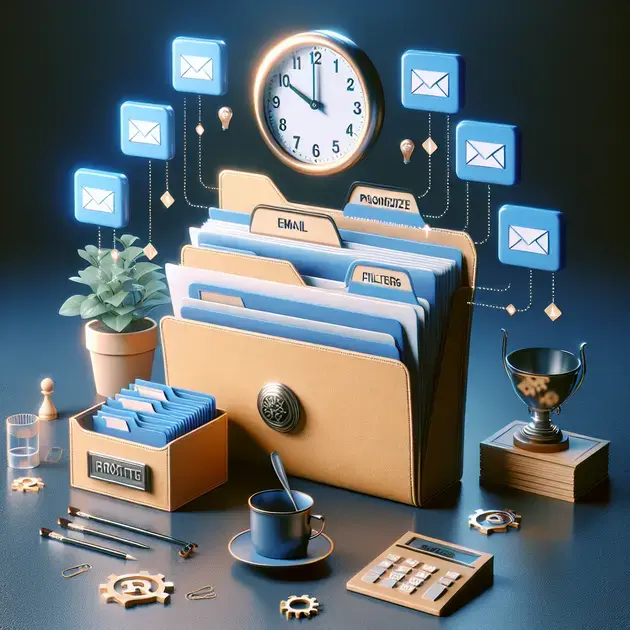
One efficient strategy for email inbox organization is to categorize your emails into separate folders based on specific criteria. Platforms like Gmail and Outlook offer easy folder creation options. Simply right-click on an email and select “Move to” to place it in a designated folder. Create folders for different projects, clients, or priority levels to keep your inbox clutter-free.
Use Email Filters for Automated Sorting
Another helpful tip is to set up email filters to automate the sorting process. Both Gmail and Outlook allow users to create filters based on sender, subject line, or keywords. By creating specific rules, incoming emails will bypass your inbox and go directly into the designated folder, saving you valuable time in sorting through emails.
Implement a Regular Inbox Cleanup Routine
Make it a habit to declutter your inbox regularly to maintain efficient organization. Set aside dedicated time each day or week to archive or delete unnecessary emails. By keeping only relevant messages in your inbox, you can focus better on important tasks without distraction. Consider using tools like Unroll.Me to unsubscribe from unwanted emails effortlessly.
Utilize Email Tracking and Reminders
To boost productivity, leverage email tracking features that notify you when your sent emails are opened or read. Tools like Boomerang or HubSpot Sales provide email tracking capabilities that give insights into recipient engagement. Additionally, use email reminders to follow up on important messages or tasks to ensure timely responses and actions.
Master the Art of Using Email Labels and Tags
Take advantage of email labeling and tagging functionalities to quickly locate and prioritize emails in your inbox. Color-coded labels in Gmail or tags in Outlook help visually distinguish between different types of emails. Assign labels like “Urgent,” “Action Required,” or “Waiting for Response” to streamline your email management process effectively.
**Time-Saving Tips for Managing Your Email Inbox**
Set Specific Times for Email Checking
To improve inbox management and avoid constant distractions, establish set times during the day for checking and responding to emails. Tools like Inbox When Ready for Gmail allow you to schedule email delivery, limiting the influx of messages in real-time and promoting focused work periods.
Utilize the Power of Email Templates
Save time on repetitive email responses by creating and using email templates. Platforms like Streak or Yesware provide email template features that enable quick responses to common inquiries or messages. Customize these templates for personalization while speeding up your email communication process.
Practice the Two-Minute Rule
Adopt the two-minute rule when managing your inbox. If an email can be addressed or responded to within two minutes, do it immediately. This rule prevents procrastination and minimizes the build-up of small tasks that can clutter your inbox. Tools like Todoist or Trello can assist in task management and quick actions.
Reduce Email Notifications and Distractions
Minimize distractions by disabling unnecessary email notifications on your devices. Constant pings and alerts can disrupt focus and productivity. Use apps like Focus@Will to enhance concentration during work hours and reduce the temptation to check emails impulsively.
Employ the “Touch Once” Strategy
Implement the “touch once” approach when triaging emails in your inbox. Upon opening an email, take immediate action by replying, delegating, archiving, or scheduling a follow-up. Avoid revisiting the same email multiple times, as this can lead to inefficiency and inbox clutter. Tools like SaneBox can assist in prioritizing emails effectively.
**Maximizing Productivity with Inbox Organization**
Integrate Task Management Tools with Your Email
Enhance productivity by integrating task management tools like Asana or Trello with your email platform. By syncing your emails with task lists and projects, you can seamlessly transition from emails to actionable tasks. Create tasks directly from emails and track progress without switching between multiple applications.
Utilize Email Scheduling for Improved Time Management
Optimize your schedule by using email scheduling features to send messages at strategic times. Applications like Boomerang or Mixmax allow you to schedule emails to be sent later, ensuring that your communications reach recipients at the most opportune moments. This helps in managing time zones and maximizing email engagement.
Implement Keyboard Shortcuts for Efficient Navigation
Streamline your email workflow by mastering keyboard shortcuts for quick navigation and actions. Platforms like Gmail and Outlook offer a range of keyboard shortcuts to archive, label, or compose emails without using the mouse. Learning and utilizing these shortcuts can significantly reduce the time spent on email management tasks.
Delegate and Collaborate Within Your Inbox
Facilitate teamwork and collaboration by leveraging features that allow delegation and shared inbox access. Platforms like Front or Hiver enable teams to assign emails to specific members, track responses, and collaborate seamlessly within the inbox. Streamlining communication channels can enhance productivity and task completion.
Regularly Review and Optimize Your Email Workflow
Continuously evaluate your email organization strategies and workflows to identify areas for improvement. Reflect on what methods are yielding the best results and adjust your approach accordingly. Experiment with new tools or techniques to enhance efficiency and productivity within your inbox management.
**Effective Techniques for Streamlining Email Communication**
Managing Email Inbox Efficiently
Setting up Email Filters
One of the most effective ways to streamline email communication is by setting up filters. Filters automatically categorize incoming emails based on pre-set rules. By creating filters to sort emails into folders, you can ensure that your inbox remains organized and clutter-free. This simple technique can save you time and help you focus on essential emails in your inbox.
Unsubscribe from Unnecessary Newsletters
Another crucial step in managing your email inbox efficiently is unsubscribing from unnecessary newsletters and promotional emails. By reducing the number of irrelevant emails you receive, you can declutter your inbox and ensure that only important messages are prioritized. Take the time to unsubscribe from any mailing lists that no longer serve your interests or needs.
Utilize Email Templates for Quick Responses
Streamline your email communication by using email templates for common responses. Creating templates for standard replies can save you valuable time and ensure consistent communication with contacts. Templates can be customized to suit different situations, allowing you to respond promptly to emails without sacrificing quality.
Schedule Dedicated Email Checking Times
To maintain a productive workflow, consider scheduling dedicated times for checking and responding to emails. Constantly checking your inbox can be distracting and disrupt your focus. By setting specific times to review emails, you can stay organized, prioritize important messages, and prevent email overload.
Use Email Management Tools
Take advantage of email management tools to streamline your communication process further. Tools like email schedulers, productivity plugins, and inbox organizers can help you manage emails efficiently. Explore different tools and find the ones that best suit your workflow to boost productivity and communication effectiveness.
Conclusion
Efficient email inbox organization is crucial for maximizing productivity and minimizing distractions. By utilizing strategies like folder organization, email filters, and regular inbox cleanup routines, individuals can maintain a clutter-free inbox and focus on essential tasks. Leveraging tools such as email tracking features, reminders, and labeling functionalities can further enhance email management efficiency.
Implementing time-saving tips like setting specific email checking times, using email templates for quick responses, and practicing the two-minute rule can streamline communication processes and boost overall productivity. Minimizing email notifications, employing keyboard shortcuts for efficient navigation, and delegating tasks within the inbox contribute to an optimized workflow.
Integrating task management tools with email platforms, utilizing email scheduling for improved time management, and regularly reviewing and optimizing email workflows are essential steps in maximizing productivity through efficient inbox organization. By following these effective techniques for streamlining email communication, individuals can enhance their communication effectiveness and achieve better work-life balance.

